42 posts tagged with "PLC"

Programmable Logic Controller integration and connectivity

View All Tags

Thread-Safe Telemetry Pipelines: Building Concurrent IIoT Edge Gateways That Don't Lose Data [2026]

· 17 min read

An edge gateway on a factory floor isn't a REST API handling one request at a time. It's a real-time system juggling multiple competing demands simultaneously: polling a PLC for tag values every second, buffering data locally when the cloud connection drops, transmitting batched telemetry over MQTT, processing incoming configuration commands from the cloud, and monitoring its own health — all at once, on hardware with the computing power of a ten-year-old smartphone.

Get the concurrency wrong, and you don't get a 500 error in your logs. You get silent data loss, corrupted telemetry batches, or — worst case — a watchdog reboot loop that takes your monitoring offline during a critical production run.

This guide covers the architecture patterns that make industrial edge gateways reliable under real-world conditions: concurrent PLC polling, thread-safe buffering, MQTT delivery guarantees, and the store-and-forward patterns that keep data flowing when the network doesn't.
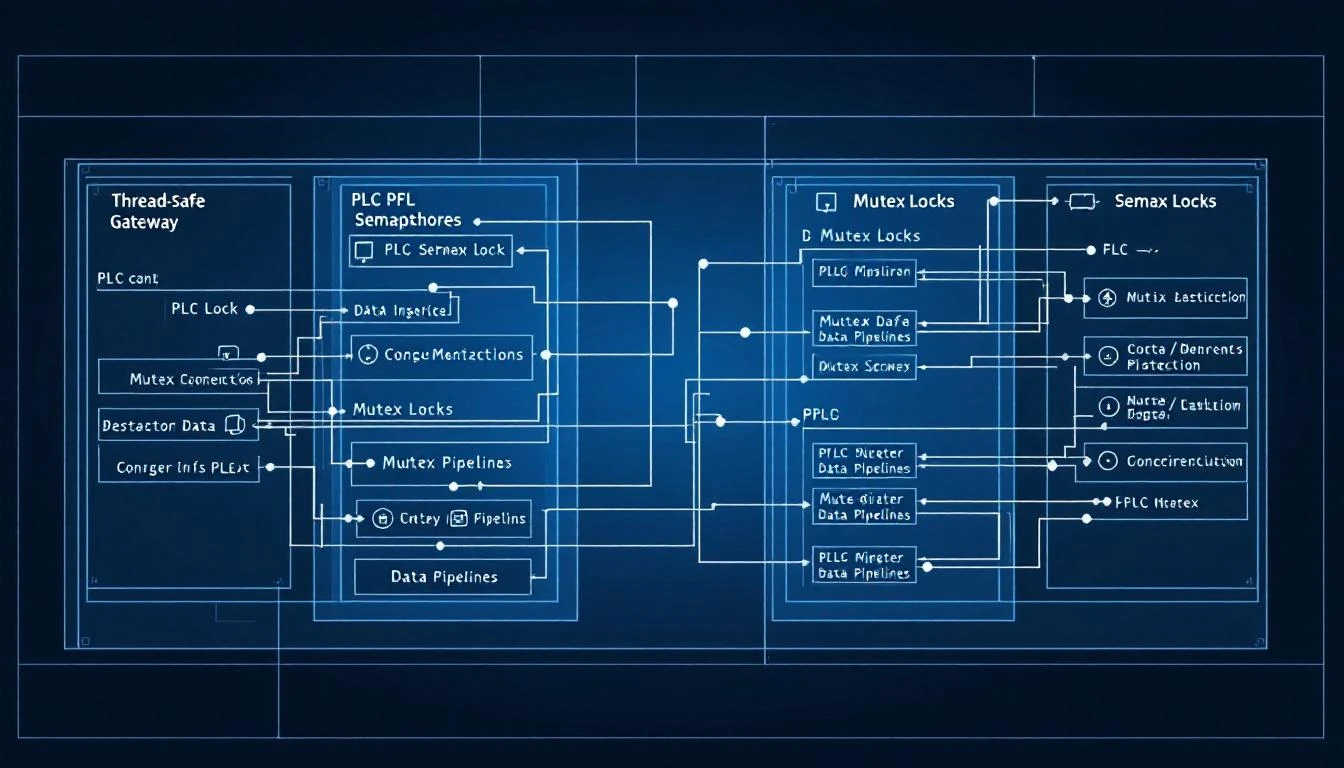
Thread-safe edge gateway architecture with concurrent data pipelines

The Concurrency Challenge in Industrial Edge Gateways

A typical edge gateway has at least three threads running concurrently:

  1. The polling thread — reads tags from PLCs at configured intervals (1-second to 60-second cycles)
  2. The MQTT network thread — manages the broker connection, handles publish/subscribe, reconnection
  3. The main control thread — processes incoming commands, monitors watchdog timers, manages configuration

These threads all share one critical resource: the outgoing data buffer. The polling thread writes telemetry into the buffer. The MQTT thread reads from the buffer and transmits data. When the connection drops, the buffer must hold data without the polling thread stalling. When the connection recovers, the buffer must drain in order without losing or duplicating messages.

This is a classic producer-consumer problem, but with industrial constraints that make textbook solutions insufficient.

Why Standard Queues Fall Short

Your first instinct might be to use a thread-safe queue — a ConcurrentLinkedQueue in Java, a queue.Queue in Python, or a lock-free ring buffer. These work fine for web applications, but industrial edge gateways have constraints that break standard queue implementations:

1. Memory Is Fixed and Finite

Edge gateways run on embedded hardware with 64 MB to 512 MB of RAM — no swap space, no dynamic allocation after startup. An unbounded queue will eventually exhaust memory during a long network outage. A fixed-size queue forces you to choose: block the producer (stalling PLC polling) or drop the oldest data.

2. Network Outages Last Hours, Not Seconds

In a factory, network outages aren't transient blips. A fiber cut, a misconfigured switch, or a power surge on the network infrastructure can take connectivity down for hours. Your buffer needs to hold potentially thousands of telemetry batches — not just a few dozen.

3. Delivery Confirmation Is Asynchronous

MQTT QoS 1 guarantees at-least-once delivery, but the PUBACK confirmation comes back asynchronously — possibly hundreds of milliseconds after the PUBLISH. During that window, you can't release the buffer space (the message might need retransmission), and you can't stall the producer (PLC data keeps flowing).

4. Data Must Survive Process Restarts

If the edge gateway daemon restarts (due to a configuration update, a watchdog trigger, or a power cycle), buffered-but-undelivered data must be recoverable. Purely in-memory queues lose everything.

The Paged Ring Buffer Pattern

The pattern that works in production is a paged ring buffer — a fixed-size memory region divided into pages, with explicit state tracking for each page. Here's how it works:

Memory Layout

At startup, the gateway allocates a single contiguous memory block and divides it into equal-sized pages:

┌─────────┬─────────┬─────────┬─────────┬─────────┐
│ Page 0 │ Page 1 │ Page 2 │ Page 3 │ Page 4 │
│ FREE │ FREE │ FREE │ FREE │ FREE │
└─────────┴─────────┴─────────┴─────────┴─────────┘

Each page has its own header tracking:

  • A page number (for logging and debugging)
  • A start_p pointer (beginning of writable space)
  • A write_p pointer (current write position)
  • A read_p pointer (current read position for transmission)
  • A next pointer (linking to the next page in whatever list it's in)

Three Page Lists

Pages move between three linked lists:

  1. Free pages — available for the producer to write into
  2. Used pages — full of data, queued for transmission
  3. Work page — the single page currently being written to
Producer (Polling Thread)          Consumer (MQTT Thread)
│ │
▼ │
┌──────────┐ │
│Work Page │──────── When full ──────►┌──────────┐
│(writing) │ │Used Pages│──► MQTT Publish
└──────────┘ │(queued) │
▲ └──────────┘
│ │
│ When delivered │
│◄──────────────────────────────────────┘
┌──────────┐
│Free Pages│
│(empty) │
└──────────┘

The Producer Path

When the polling thread has a new batch of tag values to store:

  1. Check the work page — if there's no current work page, grab one from the free list
  2. Calculate space — check if the new data fits in the remaining space on the work page
  3. If it fits — write the data (with a size header) and advance write_p
  4. If it doesn't fit — move the work page to the used list, grab a new page (from free, or steal the oldest from used if free is empty), and write there
  5. After writing — check if there's data ready to transmit and kick the consumer

The critical detail: if the free list is empty, the producer steals the oldest used page. This means during extended outages, the buffer wraps around and overwrites the oldest data — exactly the behavior you want. Recent data is more valuable than stale data in industrial monitoring.

The Consumer Path

When the MQTT connection is active and there's data to send:

  1. Check the used page list — if empty, check if the work page has unsent data and promote it
  2. Read the next message from the first used page's read_p position
  3. Publish via MQTT with QoS 1
  4. Set a "packet sent" flag — this prevents sending the next message until the current one is acknowledged
  5. Wait for PUBACK — when the broker confirms receipt, advance read_p
  6. If read_p reaches write_p — the page is fully delivered; move it back to the free list
  7. Repeat — grab the next message from the next used page

The Mutex Strategy

The entire buffer is protected by a single mutex. This might seem like a bottleneck, but in practice:

  • Write operations (adding data) take microseconds
  • Read operations (preparing to transmit) take microseconds
  • The actual MQTT transmission happens outside the mutex — only the buffer state management is locked

The mutex is held for a few microseconds at a time, never during network I/O. This keeps the polling thread from ever blocking on network latency.

Polling Thread:               MQTT Thread:
lock(mutex) lock(mutex)
write data to page read data from page
check if page full mark as sent
maybe promote page unlock(mutex)
trigger send check ─── MQTT publish ───
unlock(mutex) (outside mutex!)
lock(mutex)
process PUBACK
maybe free page
unlock(mutex)

Message Framing Inside Pages

Each page holds multiple messages packed sequentially. Each message has a simple header:

┌──────────────┬──────────────┬─────────────────────┐
│ Message ID │ Message Size │ Message Body │
│ (4 bytes) │ (4 bytes) │ (variable) │
└──────────────┴──────────────┴─────────────────────┘

The Message ID field is initially zero. When the MQTT library publishes the message, it fills in the packet ID assigned by the broker. This is how the consumer tracks which specific message was acknowledged — when the PUBACK callback fires with a packet ID, it can match it to the message at read_p and advance.

This framing makes the buffer self-describing. During recovery after a restart, the gateway can scan page contents by reading size headers sequentially.

Handling Disconnections Gracefully

When the MQTT connection drops, the consumer thread must handle it without corrupting the buffer:

Connection Lost:
1. Set connected = 0
2. Clear "packet sent" flag
3. Do NOT touch any page pointers

That's it. The producer keeps writing — it doesn't know or care about the connection state. The buffer absorbs data normally.

When the connection recovers:

Connection Restored:
1. Set connected = 1
2. Trigger send check (under mutex)
3. Consumer picks up where it left off

The key insight: the "packet sent" flag prevents double-sending. If a PUBLISH was in flight when the connection dropped, the PUBACK never arrived. The flag remains set, but the disconnection handler clears it. When the connection recovers, the consumer re-reads the same message from read_p (which was never advanced) and re-publishes it. The broker either receives a duplicate (handled by QoS 1 dedup) or receives it for the first time.

Binary vs. JSON Batch Encoding

The telemetry data written into the buffer can be encoded in two formats, and the choice affects both bandwidth and reliability.

JSON Format

Each batch is a JSON object containing groups of timestamped values:

{
"groups": [
{
"ts": 1709424000,
"device_type": 1017,
"serial_number": 123456,
"values": [
{"id": 80, "values": [725]},
{"id": 81, "values": [680]},
{"id": 82, "values": [285]}
]
}
]
}

Pros: Human-readable, easy to debug, parseable by any language. Cons: 5-8× larger than binary, float precision loss (decimal representation), size estimation is rough.

Binary Format

A compact binary encoding with a header byte (0xF7), followed by big-endian packed groups:

F7                              ← Header
00 00 00 01 ← Number of groups (1)
65 E8 2C 00 ← Timestamp (Unix epoch)
03 F9 ← Device type (1017)
00 01 E2 40 ← Serial number
00 00 00 03 ← Number of values (3)
00 50 00 01 02 02 D5 ← Tag 80: status=0, 1 value, 2 bytes, 725
00 51 00 01 02 02 A8 ← Tag 81: status=0, 1 value, 2 bytes, 680
00 52 00 01 02 01 1D ← Tag 82: status=0, 1 value, 2 bytes, 285

Pros: 5-8× smaller, perfect float fidelity (raw bytes preserved), exact size calculation. Cons: Requires matching decoder on the cloud side, harder to debug without tools.

For gateways communicating over cellular connections — common in remote facilities like water treatment plants, oil wells, or distributed renewable energy sites — binary encoding is essentially mandatory. A gateway polling 100 tags every 10 seconds generates about 260 MB/month in JSON versus 35 MB/month in binary. At typical IoT cellular rates ($0.50-$2.00/MB), that's the difference between $130/month and $17/month per gateway.

The MQTT Watchdog Pattern

MQTT connections can enter a zombie state — technically connected according to the TCP stack, but the broker has stopped responding. This is especially common behind industrial firewalls and NAT devices with aggressive connection timeout policies.

The Problem

The MQTT library reports the connection as alive. The gateway publishes messages. No PUBACK comes back — ever. The buffer fills up because the consumer thinks each message is "in flight" (the packet_sent flag is set). Eventually the buffer wraps and data loss begins.

The Solution: Last-Delivered Timestamp

Track the timestamp of the last successful PUBACK. If more than N seconds have passed since the last acknowledged delivery, and there are messages waiting to be sent, the connection is stale:

monitor_watchdog():
if connected AND packet_sent:
elapsed = now - last_delivered_packet_timestamp
if elapsed > WATCHDOG_THRESHOLD:
// Force disconnect and reconnect
force_disconnect()
// Disconnection handler clears packet_sent
// Reconnection handler will re-deliver from read_p

A typical threshold is 60 seconds for LAN connections and 120 seconds for cellular. This catches zombie connections that the TCP stack and MQTT keep-alive miss.

Reconnection with Backoff

When the watchdog (or a genuine disconnection) triggers a reconnect, use a dedicated thread for the connection attempt. The connect_async call can block for the TCP timeout duration (potentially 30+ seconds), and you don't want that blocking the main loop or the polling thread.

A semaphore controls the reconnection thread:

Main Thread:                Reconnection Thread:
Detects need to (blocked on semaphore)
reconnect │
Posts semaphore ──────► Wakes up
Calls connect_async()
(may block 30s)
Success or failure
Posts "done" semaphore
Waits for "done" ◄──────
Checks result

The reconnect delay should be fixed and short (5 seconds is typical) for industrial applications, not exponential backoff. In a factory, the network outage either resolves quickly (a transient) or it's a hard failure that needs human intervention. Exponential backoff just delays reconnection after the network recovers.

Batching Strategy: Size vs. Time

Telemetry batches should be finalized and queued for transmission based on whichever threshold hits first: size or time.

Size-Based Finalization

When the accumulated batch data exceeds a configured maximum (typically 4-500 KB for JSON, 50-100 KB for binary), finalize and queue it. This prevents any single MQTT message from being too large for the broker or the network MTU.

Time-Based Finalization

When the batch has been collecting data for more than a configured timeout (typically 30-60 seconds), finalize it regardless of size. This ensures that even slowly-changing tags get transmitted within a bounded time window.

The Interaction Between Batching and Buffering

Batching and buffering are separate concerns that interact:

PLC Tags ──► Batch (collecting) ──► Buffer Page (queued) ──► MQTT (transmitted)

Tag reads accumulate When batch finalizes, Pages are transmitted
in the batch structure the encoded batch goes one at a time with
into the ring buffer PUBACK confirmation

A batch contains one or more "groups" — each group is a set of tag values read at the same timestamp. Multiple polling cycles might go into a single batch before it's finalized by size or time. The finalized batch then goes into the ring buffer as a single message.

Dependent Tag Reads and Atomic Groups

In many PLC configurations, certain tags are only meaningful when read together. For example:

  • Alarm word tags — a uint16 register where each bit represents a different alarm. You read the alarm word, then extract the individual bits. If the alarm word changes, you need to read and deliver the extracted bits atomically with the parent.

  • Machine state transitions — when a "blender running" tag changes from 0 to 1, you might need to immediately read all associated process values (RPM, temperatures, pressures) to capture the startup snapshot.

The architecture handles this through dependent tag chains:

Parent Tag (alarm_word, interval=1s, compare=true)
└── Calculated Tag (alarm_bit_0, shift=0, mask=0x01)
└── Calculated Tag (alarm_bit_1, shift=1, mask=0x01)
└── Dependent Tag (motor_speed, read_on_change=true)
└── Dependent Tag (temperature, read_on_change=true)

When the parent tag changes, the polling thread:

  1. Finalizes the current batch
  2. Recursively reads all dependent tags (forced read, ignoring intervals)
  3. Starts a new batch group with the same timestamp

This ensures that the dependent values are timestamped identically with the trigger event and delivered together.

Hourly Full-Read Reset

Change-of-value (COV) filtering dramatically reduces bandwidth, but it introduces a subtle failure mode: if a value changes during a transient read error, the gateway might never know it changed.

Here's the scenario:

  1. At 10:00:00, tag value = 72.5 → transmitted
  2. At 10:00:01, PLC returns an error for that tag → not transmitted
  3. At 10:00:02, tag value = 73.0 → compared against last successful read (72.5), change detected, transmitted
  4. But if the error at 10:00:01 was actually a valid read of 73.0 that was misinterpreted as an error, and the value stayed at 73.0, then at 10:00:02 the comparison against the last known value (72.5) correctly catches it.

The real problem is when:

  1. At 10:00:00, tag value = 72.5 → transmitted
  2. The PLC program changes the tag to 73.0 and then back to 72.5 between polling cycles
  3. The gateway never sees 73.0 — it polls at 10:00:00 and 10:00:01 and gets 72.5 both times

For most industrial applications, this sub-second transient is irrelevant. But to guard against drift — where small rounding differences accumulate between the gateway's cached value and the PLC's actual value — a full reset is performed every hour:

Every hour boundary (when the system clock's hour changes):
1. Clear the "read once" flag on every tag
2. Clear all last-known values
3. Force read and transmit every tag regardless of COV

This guarantees that the cloud platform has a complete snapshot of every tag value at least once per hour, even for tags that haven't changed.

Putting It All Together: The Polling Loop

Here's the complete polling loop architecture that ties all these patterns together:

main_polling_loop():
FOREVER:
current_time = monotonic_clock()

FOR each configured device:
// Hourly reset check
if hour(current_time) != hour(last_poll_time):
reset_all_tags(device)

// Start a new batch group
start_group(device.batch, unix_timestamp())

FOR each tag in device.tags:
// Check if this tag needs reading now
if not tag.read_once OR elapsed(tag.last_read) >= tag.interval:

value, status = read_tag(device, tag)

if status == LINK_ERROR:
set_link_state(device, DOWN)
break // Stop reading this device

set_link_state(device, UP)

// COV check
if tag.compare AND tag.read_once:
if value == tag.last_value AND status == tag.last_status:
continue // No change, skip

// Deliver value
if tag.do_not_batch:
deliver_immediately(device, tag, value)
else:
add_to_batch(device.batch, tag, value)

// Check dependent tags
if value_changed AND tag.has_dependents:
finalize_batch()
read_dependents(device, tag)
start_new_group()

// Update tracking
tag.last_value = value
tag.last_status = status
tag.read_once = true
tag.last_read = current_time

// Finalize batch group
stop_group(device.batch, output_buffer)
// ↑ This checks size/time thresholds and may
// queue the batch into the ring buffer

sleep(polling_interval)

Performance Characteristics

On a typical industrial edge gateway (ARM Cortex-A9, 512 MB RAM, Linux):

OperationTimeNotes
Mutex lock/unlock~1 µsPer buffer operation
Modbus TCP read (10 registers)5-15 msNetwork dependent
Modbus RTU read (10 registers)20-50 msBaud rate dependent (9600-115200)
EtherNet/IP tag read2-8 msCIP overhead
JSON batch encoding0.5-2 ms100 tags
Binary batch encoding0.1-0.5 ms100 tags
MQTT publish (QoS 1)1-5 msLAN broker
Buffer page write5-20 µsmemcpy only

The bottleneck is always the PLC protocol reads, not the buffer or transmission logic. A gateway polling 200 Modbus TCP tags can complete a full cycle in under 200 ms, leaving plenty of headroom for a 1-second polling interval.

For Modbus RTU (serial), the bottleneck shifts to the baud rate. At 9600 baud, a single register read takes ~15 ms including response. Polling 50 registers individually would take 750 ms — too close to a 1-second interval. This is why contiguous register grouping matters: reading 50 consecutive registers in a single request takes about 50 ms, a 15× improvement.

How machineCDN Implements These Patterns

machineCDN's edge gateway uses exactly these patterns — paged ring buffers with mutex-protected page management, QoS 1 MQTT with PUBACK-based buffer advancement, and both binary and JSON encoding depending on the deployment's bandwidth constraints.

The platform's gateway daemon runs on Linux-based edge hardware (including cellular routers like the Teltonika RUT series) and handles simultaneous Modbus RTU, Modbus TCP, and EtherNet/IP connections to mixed-vendor equipment. The buffer is sized during commissioning based on the expected outage duration — a 64 KB buffer holds roughly 4 hours of data at typical polling rates; a 512 KB buffer extends that to over 24 hours.

The result: plants running machineCDN don't lose telemetry during network outages. When connectivity recovers, the buffered data drains automatically and fills in the gaps in trending charts and analytics — no manual intervention, no missing data points.

Key Takeaways

  1. Use paged ring buffers, not unbounded queues — fixed memory, graceful overflow (oldest data dropped first)
  2. Protect buffer operations with a mutex, but never hold it during network I/O — microsecond lock durations keep producers and consumers non-blocking
  3. Track PUBACK per-message to prevent double-sending and enable reliable buffer advancement
  4. Implement a MQTT watchdog using last-delivery timestamps to catch zombie connections
  5. Batch by size OR time (whichever hits first) to balance bandwidth and latency
  6. Reset all tags hourly to guarantee complete snapshots and prevent drift
  7. Binary encoding saves 5-8× bandwidth with zero precision loss — essential for cellular-connected gateways
  8. Group contiguous Modbus registers into single requests — 15× faster than individual reads on RTU

Building a reliable IIoT edge gateway is fundamentally a systems programming challenge. The protocols, the buffering, the concurrency — each one is manageable alone, but getting them all right together, on constrained hardware, with zero tolerance for data loss, is what separates toy prototypes from production infrastructure.


See machineCDN's store-and-forward buffering in action with real factory data. Request a demo to explore the platform.

Calculated Tags in Industrial IoT: Deriving Boolean Alarms from Raw PLC Registers [2026]

· 9 min read

If you've ever tried to monitor 32 individual alarm conditions from a PLC, you've probably discovered an uncomfortable truth: polling each one as a separate tag creates a nightmarish amount of bus traffic. The solution — calculated tags — is one of the most powerful yet underexplained patterns in industrial data acquisition.

This guide breaks down exactly how calculated tags work, why they matter for alarm systems, and how to implement them efficiently at the edge.

Dependent Tag Architectures: Building Event-Driven Data Hierarchies in Industrial IoT [2026]

· 10 min read

Most IIoT platforms treat every data point as equal. They poll each tag on a fixed schedule, blast everything to the cloud, and let someone else figure out what matters. That approach works fine when you have ten tags. It collapses when you have ten thousand.

Production-grade edge systems take a fundamentally different approach: they model relationships between tags — parent-child dependencies, calculated values derived from raw registers, and event-driven reads that fire only when upstream conditions change. The result is dramatically less bus traffic, lower latency on the signals that matter, and a data architecture that mirrors how the physical process actually works.

This article is a deep technical guide to building these hierarchical tag architectures from the ground up.

Dependent tag architecture for IIoT

The Problem with Flat Polling

In a traditional SCADA or IIoT setup, the edge gateway maintains a flat list of tags. Each tag has an address and a polling interval:

Tag: Barrel_Temperature    Address: 40001    Interval: 1s
Tag: Screw_Speed Address: 40002 Interval: 1s
Tag: Mold_Pressure Address: 40003 Interval: 1s
Tag: Machine_State Address: 40010 Interval: 1s
Tag: Alarm_Word_1 Address: 40020 Interval: 1s
Tag: Alarm_Word_2 Address: 40021 Interval: 1s

Every second, the gateway reads every tag — regardless of whether anything changed. This creates three problems:

  1. Bus saturation on serial links. A Modbus RTU link at 9600 baud can handle roughly 10–15 register reads per second. With 200 tags at 1-second intervals, you're mathematically guaranteed to fall behind.

  2. Wasted bandwidth to the cloud. If barrel temperature hasn't changed in 30 seconds, you're uploading the same value 30 times. At $0.005 per MQTT message on most cloud IoT services, that adds up.

  3. Missing the events that matter. When everything polls at the same rate, a critical alarm state change gets the same priority as a temperature reading that hasn't moved in an hour.

Introducing Tag Hierarchies

A dependent tag architecture introduces three concepts:

1. Parent-Child Dependencies

A dependent tag is one that only gets read when its parent tag's value changes. Consider a machine status word. When the status word changes from "Running" to "Fault," you want to immediately read all the associated diagnostic registers. When the status word hasn't changed, those diagnostic registers are irrelevant.

# Conceptual configuration
parent_tag:
name: machine_status_word
address: 40010
interval: 1s
compare: true
dependent_tags:
- name: fault_code
address: 40011
- name: fault_timestamp
address: 40012-40013
- name: last_setpoint
address: 40014

When machine_status_word changes, the edge daemon immediately performs a forced read of all three dependent tags and delivers them in the same telemetry group — with the same timestamp. This guarantees temporal coherence: the fault code, timestamp, and last setpoint all share the exact timestamp of the state change that triggered them.

2. Calculated Tags

A calculated tag is a virtual data point derived from a parent tag's raw value through bitwise operations. The most common use case: decoding packed alarm words.

Industrial PLCs frequently pack 16 boolean alarms into a single 16-bit register. Rather than polling 16 separate coil addresses (which requires 16 Modbus transactions), you read one holding register and extract each bit:

Alarm_Word_1 (uint16 at 40020):
Bit 0 → High Temperature Alarm
Bit 1 → Low Pressure Alarm
Bit 2 → Motor Overload
Bit 3 → Emergency Stop Active
...
Bit 15 → Communication Fault

A well-designed edge gateway handles this decomposition at the edge:

parent_tag:
name: alarm_word_1
address: 40020
type: uint16
interval: 1s
compare: true # Only process when value changes
do_not_batch: true # Deliver immediately — don't wait for batch timeout
calculated_tags:
- name: high_temp_alarm
type: bool
shift: 0
mask: 0x01
- name: low_pressure_alarm
type: bool
shift: 1
mask: 0x01
- name: motor_overload
type: bool
shift: 2
mask: 0x01
- name: estop_active
type: bool
shift: 3
mask: 0x01

The beauty of this approach:

  • One Modbus read instead of sixteen
  • Zero cloud processing — the edge already decomposed the alarm word into named boolean tags
  • Change-driven delivery — if the alarm word hasn't changed, nothing gets sent. When bit 2 flips from 0 to 1, only the changed calculated tags get delivered.

3. Comparison-Based Delivery

The compare flag on a tag definition tells the edge daemon to track the last-known value and suppress delivery when the new value matches. This is distinct from a polling interval — the tag still gets read on schedule, but the value only gets delivered when it changes.

This is particularly powerful for:

  • Status words and mode registers that change infrequently
  • Alarm bits where you care about transitions, not steady state
  • Setpoint registers that only change when an operator makes an adjustment

A well-implemented comparison handles type-aware equality. Comparing two float values with bitwise equality is fine for PLC registers (they're IEEE 754 representations read directly from memory — no floating-point arithmetic involved). Comparing two uint16 values is straightforward. The edge daemon should store the raw bytes, not a converted representation.

Register Grouping: The Foundation

Before dependent tags can work efficiently, the underlying polling engine needs contiguous register grouping. This is the practice of combining multiple tags into a single Modbus read request when their addresses are adjacent.

Consider these five tags:

Tag A: addr 40001, type uint16  (1 register)
Tag B: addr 40002, type uint16 (1 register)
Tag C: addr 40003, type float (2 registers)
Tag D: addr 40005, type uint16 (1 register)
Tag E: addr 40010, type uint16 (1 register) ← gap

An intelligent polling engine groups A through D into a single Read Holding Registers call: start address 40001, quantity 5. Tag E starts a new group because there's a 5-register gap.

The grouping rules are:

  1. Same function code. You can't combine holding registers (FC03) with input registers (FC04) in one read.
  2. Contiguous addresses. Any gap breaks the group.
  3. Same polling interval. A tag polling at 1s and a tag polling at 60s shouldn't be in the same group.
  4. Maximum group size. The Modbus spec limits a single read to 125 registers (some devices impose lower limits — 50 is a safe practical maximum).

After the bulk read returns, the edge daemon dispatches individual register values to each tag definition, handling type conversion per tag (uint16, int16, float from two consecutive registers, etc.).

The 32-Bit Float Problem

When a tag spans two Modbus registers (common for 32-bit integers and IEEE 754 floats), the edge daemon must handle word ordering. Some PLCs store the high word first (big-endian), others store the low word first (little-endian). A typical edge system stores the raw register pair and then calls the appropriate conversion:

  • Big-endian (AB CD): value = (register[0] << 16) | register[1]
  • Little-endian (CD AB): value = (register[1] << 16) | register[0]

For IEEE 754 floats, the 32-bit integer is reinterpreted as a floating-point value. Getting this wrong produces garbage data — a common source of "the numbers look random" support tickets.

Architecture: Tying It Together

Here's how a production edge system processes a single polling cycle with dependent tags:

1. Start timestamp group (T = now)
2. For each tag in the poll list:
a. Check if interval has elapsed since last read
b. If not due, skip (but check if it's part of a contiguous group)
c. Read tag (or group of tags) from PLC
d. If compare=true and value unchanged: skip delivery
e. If compare=true and value changed:
i. Deliver value (batched or immediate)
ii. If tag has calculated_tags: compute each one, deliver
iii. If tag has dependent_tags:
- Finalize current batch group
- Force-read all dependent tags (recursive)
- Start new batch group
f. Update last-known value and last-read timestamp
3. Finalize timestamp group

The critical detail is step (e)(iii): when a parent tag triggers a dependent read, the current batch group gets finalized and the dependent tags are read in a forced mode (ignoring their individual interval timers). This ensures the dependent values reflect the state at the moment of the parent's change, not some future polling cycle.

Practical Considerations

On Modbus RTU, the 3.5-character silent interval between frames is mandatory. At 9600 baud with 8N1 encoding, one character takes ~1.04ms, so the minimum inter-frame gap is ~3.64ms. With a typical request frame of 8 bytes and a response frame of 5 + 2*N bytes (for N registers), a single read of 10 registers takes approximately:

Request:    8 bytes × 1.04ms = 8.3ms
Turnaround: ~3.5ms (device processing)
Response: (5 + 20) bytes × 1.04ms = 26ms
Gap: 3.64ms
Total: ~41.4ms per read

This means you can fit roughly 24 read operations per second on a 9600-baud link. If you're polling 150 tags with 1-second intervals, grouping is not optional — it's survival.

Alarm Tag Design

For alarm words, always configure:

  • compare: true — only deliver when an alarm state changes
  • do_not_batch: true — bypass the batch timeout and deliver immediately
  • interval: 1 (1 second) — poll frequently to catch transient alarms

Process variables like temperatures and pressures can safely use longer intervals (30–60 seconds) with compare: false since trending data benefits from regular samples.

Avoiding Circular Dependencies

If Tag A is dependent on Tag B, and Tag B is dependent on Tag A, you'll create an infinite recursion in the read loop. Production systems guard against this by either:

  • Limiting dependency depth (typically 1–2 levels)
  • Tracking a "reading" flag to prevent re-entry
  • Flattening the graph at configuration parse time

Hourly Full-Refresh

Even with change-driven delivery, it's good practice to force-read and deliver all tags at least once per hour. This catches any edge cases where a value changed but the change was missed (e.g., a brief network hiccup that caused a read failure during the exact moment of change). A simple approach: track the hour boundary and reset the "already read" flag on all tags when the hour rolls over.

How machineCDN Handles Tag Hierarchies

machineCDN's edge infrastructure supports all three relationship types natively. When you configure a device in the platform, you define parent-child dependencies, calculated alarm bits, and comparison-based delivery in the device configuration — no custom scripting required.

The platform's edge daemon handles contiguous register grouping automatically, supports both EtherNet/IP and Modbus (TCP and RTU) from the same configuration model, and provides dual-format batch delivery (JSON for debugging, binary for bandwidth efficiency). Alarm tags are delivered immediately outside the batch cycle, ensuring sub-second alert latency even when the batch timeout is set to 30 seconds.

For teams managing fleets of machines across multiple plants, this means the tag architecture you define once gets deployed consistently to every edge gateway — whether it's monitoring a chiller system with 160+ process variables or a simple TCU with 20 tags.

Key Takeaways

  1. Model relationships, not just addresses. Tags have dependencies that mirror the physical process. Your data architecture should reflect that.
  2. Use comparison to suppress noise. A status word that hasn't changed in 6 hours doesn't need 21,600 duplicate deliveries.
  3. Calculated tags eliminate cloud processing. Decompose packed alarm words at the edge — one Modbus read becomes 16 named boolean signals.
  4. Dependent reads guarantee temporal coherence. When a parent changes, all children are read with the same timestamp.
  5. Group contiguous registers ruthlessly. On serial links, the difference between grouped and ungrouped reads is the difference between working and not working.

The flat-list polling model was fine for SCADA systems monitoring 50 tags on a single HMI. For IIoT platforms handling thousands of data points across fleets of machines, hierarchical tag architectures aren't an optimization — they're the foundation.

EtherNet/IP and CIP: A Practical Guide for Plant Engineers [2026]

· 11 min read

If you've ever connected to an Allen-Bradley Micro800 or CompactLogix PLC, you've used EtherNet/IP — whether you knew it or not. It's one of the most widely deployed industrial Ethernet protocols in North America, and for good reason: it runs on standard Ethernet hardware, supports TCP/IP natively, and handles everything from high-speed I/O updates to configuration and diagnostics over a single cable.

But EtherNet/IP is more than just "Modbus over Ethernet." Its underlying protocol — the Common Industrial Protocol (CIP) — is a sophisticated object-oriented messaging framework that fundamentally changes how edge devices, gateways, and cloud platforms interact with PLCs.

This guide covers what plant engineers and IIoT architects actually need to know.

Event-Driven Tag Delivery in IIoT: Why Polling Everything at Fixed Intervals Is Wasting Your Bandwidth [2026]

· 11 min read

Event-Driven Tag Detection

Most IIoT deployments start the same way: poll every PLC register every second, serialize all values to JSON, and push everything to the cloud over MQTT. It works — until your cellular data bill arrives, or your broker starts choking on 500,000 messages per day from a single gateway, or you realize that 95% of those messages contain values that haven't changed since the last read.

The reality of industrial data is that most values don't change most of the time. A chiller's tank temperature drifts by a fraction of a degree per minute. A blender's motor state is "running" for 8 hours straight. A conveyor's alarm register reads zero all day — until the instant it doesn't, and that instant matters more than the previous 86,400 identical readings.

This guide covers a smarter approach: event-driven tag delivery, where the edge gateway reads at regular intervals but only transmits when something actually changes — and when something does change, it can trigger reads of related tags for complete context.

The Problem with Fixed-Interval Everything

Let's quantify the waste. Consider a typical industrial chiller with 10 compressor circuits, each exposing 16 process tags (temperatures, pressures, flow rates) and 3 alarm registers:

Tags per circuit:  16 process + 3 alarm = 19 tags
Total tags: 10 circuits × 19 = 190 tags
Poll interval: All at 1 second

At JSON format with timestamp, tag ID, and value, each data point is roughly 50 bytes. Per second, that's:

190 tags × 50 bytes = 9,500 bytes/second
= 570 KB/minute
= 34.2 MB/hour
= 821 MB/day

Over a cellular connection at $5/GB, that's $4.10/day per chiller — just for data that's overwhelmingly identical to what was sent one second ago.

Now let's separate the tags by their actual change frequency:

Tag TypeCountActual Change Frequency% of Total Data
Process temperatures100Every 30-60 seconds52.6%
Process pressures50Every 10-30 seconds26.3%
Flow rates10Every 5-15 seconds5.3%
Alarm bits30~1-5 times per day15.8%

Those 30 alarm registers — 15.8% of your data volume — change roughly 5 times per day. You're transmitting them 86,400 times. That's a 17,280x overhead on alarm data.

The Three Pillars of Event-Driven Delivery

A well-designed edge gateway implements three complementary strategies:

1. Compare-on-Read (Change Detection)

The simplest optimization: after reading a tag value from the PLC, compare it against the last transmitted value. If it hasn't changed, don't send it.

The implementation is straightforward:

# Pseudocode — NOT from any specific codebase
def should_deliver(tag, new_value, new_status):
# Always deliver the first reading
if not tag.has_been_read:
return True

# Always deliver on status change (device went offline/online)
if tag.last_status != new_status:
return True

# Compare values if compare flag is enabled
if tag.compare_enabled:
if tag.last_value != new_value:
return True
return False # Value unchanged, skip

# If compare disabled, always deliver
return True

Which tags should use change detection?

  • Alarm/status registers: Always. These are event-driven by nature — you need the transitions, not the steady state.
  • Digital I/O: Always. Binary values either changed or they didn't.
  • Configuration registers: Always. Software version numbers, setpoints, and device parameters change rarely.
  • Temperatures and pressures: Situational. If the process is stable, most readings are identical. But if you need trending data for analytics, you may want periodic delivery regardless.
  • Counter registers: Never. Counters increment continuously — every reading is "different" — and you need the raw values for accurate rate calculations.

The gotcha with floating-point comparison: Comparing IEEE 754 floats for exact equality is unreliable due to rounding. For float-typed tags, use a deadband:

# Apply deadband for float comparison
def float_changed(old_val, new_val, deadband=0.1):
return abs(new_val - old_val) > deadband

A temperature deadband of 0.1°F means you'll transmit when the temperature moves meaningfully, but ignore sensor noise.

2. Dependent Tags (Contextual Reads)

Here's where event-driven delivery gets powerful. Consider this scenario:

A chiller's compressor status word is a 16-bit register where each bit represents a different state: running, loaded, alarm, lockout, etc. You poll this register every second with change detection enabled. When bit 7 flips from 0 to 1 (alarm condition), you need more than just the status word — you need the discharge pressure, suction temperature, refrigerant level, and superheat at that exact moment to diagnose the alarm.

The solution: dependent tag chains. When a parent tag's value changes, the gateway immediately triggers a forced read of all dependent tags, delivering the complete snapshot:

Parent Tag:    Compressor Status Word (polled every 1s, compare=true)
Dependent Tags:
├── Discharge Pressure (read only when status changes)
├── Suction Temperature (read only when status changes)
├── Refrigerant Liquid Temp (read only when status changes)
├── Superheat (read only when status changes)
└── Subcool (read only when status changes)

In normal operation, the gateway reads only the status word — one register per second per compressor. When the status word changes, it reads 6 registers total and delivers them as a single timestamped group. The result:

  • Steady state: 1 register/second → 50 bytes/second
  • Event triggered: 6 registers at once → 300 bytes (once, at the moment of change)
  • vs. polling everything: 6 registers/second → 300 bytes/second (continuously)

Bandwidth savings: 99.8% during steady state, with zero data loss at the moment that matters.

3. Calculated Tags (Bit-Level Decomposition)

Industrial PLCs often pack multiple boolean signals into a single 16-bit or 32-bit "status word" or "alarm word." Each bit has a specific meaning defined in the PLC program documentation:

Alarm Word (uint16):
Bit 0: High Temperature Alarm
Bit 1: Low Pressure Alarm
Bit 2: Flow Switch Fault
Bit 3: Motor Overload
Bit 4: Sensor Open Circuit
Bit 5: Communication Fault
Bits 6-15: Reserved

A naive approach reads the entire word and sends it to the cloud, leaving the bit-level parsing to the backend. A better approach: the edge gateway decomposes the word into individual boolean tags at read time.

The gateway reads the parent tag (the alarm word), and for each calculated tag, it applies a shift and mask operation to extract the individual bit:

Individual Alarm = (alarm_word >> bit_position) & mask

Each calculated tag gets its own change detection. So when Bit 2 (Flow Switch Fault) transitions from 0 to 1, the gateway transmits only that specific alarm — not the entire word, and not any unchanged bits.

Why this matters at scale: A 10-circuit chiller has 30 alarm registers (3 per circuit), each 16 bits wide. That's 480 individual alarm conditions. Without bit decomposition, a single bit flip in one register transmits all 30 registers (because the polling cycle doesn't know which register changed). With calculated tags, only the one changed boolean is transmitted.

Batching: Grouping Efficiency

Even with change detection, transmitting each changed tag as an individual MQTT message creates excessive overhead. MQTT headers, TLS framing, and TCP acknowledgments add 80-100 bytes of overhead per message. A 50-byte tag value in a 130-byte envelope is 62% overhead.

The solution: time-bounded batching. The gateway accumulates changed tag values into a batch, then transmits the batch when either:

  1. The batch reaches a size threshold (e.g., 4KB of accumulated data)
  2. A time limit expires (e.g., 10-30 seconds since the batch started collecting)

The batch structure groups values by timestamp:

{
"groups": [
{
"ts": 1709335200,
"device_type": 1018,
"serial_number": 2411001,
"values": [
{"id": 1, "values": [245]},
{"id": 6, "values": [187]},
{"id": 7, "values": [42]}
]
}
]
}

Critical exception: alarm tags bypass batching. When a status register changes, you don't want the alarm notification sitting in a batch buffer for 30 seconds. Alarm tags should be marked as do_not_batch — they're serialized and transmitted immediately as individual messages with QoS 1 delivery confirmation.

This creates a two-tier delivery system:

Data TypeDeliveryLatencyBatching
Process valuesChange-detected, batched10-30 secondsYes
Alarm/status bitsChange-detected, immediate<1 secondNo
Periodic valuesTime-based, batched10-60 secondsYes

Binary vs. JSON: The Encoding Decision

The batch payload format has a surprisingly large impact on bandwidth. Consider a batch with 50 tag values:

JSON format:

{"groups":[{"ts":1709335200,"device_type":1018,"serial_number":2411001,"values":[{"id":1,"values":[245]},{"id":2,"values":[187]},...]}]}

Typical size: 2,500-3,000 bytes for 50 values

Binary format:

Header:     1 byte  (magic byte 0xF7)
Group count: 4 bytes
Per group:
Timestamp: 4 bytes
Device type: 2 bytes
Serial number: 4 bytes
Value count: 4 bytes
Per value:
Tag ID: 2 bytes
Status: 1 byte
Value count: 1 byte
Value size: 1 byte (1=bool/int8, 2=int16, 4=int32/float)
Values: 1-4 bytes each

Typical size: 400-600 bytes for 50 values

That's a 5-7x reduction — from 3KB to ~500 bytes per batch. Over cellular, this is transformative. A device that transmits 34 MB/day in JSON drops to 5-7 MB/day in binary, before even accounting for change detection.

The trade-off: binary payloads require a schema-aware decoder on the cloud side. Both the gateway and the backend must agree on the encoding format. In practice, most production IIoT platforms use binary encoding for device-to-cloud telemetry and JSON for cloud-to-device commands (where human readability matters and message volume is low).

The Hourly Reset: Catching Drift

One subtle problem with pure change detection: if a value drifts by tiny increments — each below the comparison threshold — the cloud's cached value can slowly diverge from reality. After hours of accumulated micro-drift, the dashboard shows 72.3°F while the actual temperature is 74.1°F.

The solution: periodic forced reads. Every hour (or at another configurable interval), the gateway resets all "read once" flags and forces a complete read of every tag, delivering all current values regardless of change. This acts as a synchronization pulse that corrects any accumulated drift and confirms that all devices are still online.

The hourly reset typically generates one large batch — a snapshot of all 190 tags — adding roughly 10-15KB once per hour. That's negligible compared to the savings from change detection during the other 3,599 seconds.

Quantifying the Savings

Let's revisit our 10-circuit chiller example with event-driven delivery:

Before (fixed interval, everything at 1s):

190 tags × 86,400 seconds × 50 bytes = 821 MB/day

After (event-driven with change detection):

Process values: 160 tags × avg 2 changes/min × 1440 min × 50 bytes = 23 MB/day
Alarm bits: 30 tags × avg 5 changes/day × 50 bytes = 7.5 KB/day
Hourly resets: 190 tags × 24 resets × 50 bytes = 228 KB/day
Overhead (headers, keepalives): ≈ 2 MB/day
──────────────────────────────────────────────────────
Total: ≈ 25.2 MB/day

With binary encoding instead of JSON:

≈ 25.2 MB/day ÷ 5.5 (binary compression) ≈ 4.6 MB/day

Net reduction: 821 MB → 4.6 MB = 99.4% bandwidth savings.

On a $5/GB cellular plan, that's $4.10/day → $0.02/day per chiller.

Implementation Checklist

If you're building or evaluating an edge gateway for event-driven tag delivery, here's what to look for:

  • Per-tag compare flag — Can you enable/disable change detection per tag?
  • Per-tag polling interval — Can fast-changing and slow-changing tags have different read rates?
  • Dependent tag chains — Can a parent tag's change trigger reads of related tags?
  • Bit-level calculated tags — Can alarm words be decomposed into individual booleans?
  • Bypass batching for alarms — Are alarm tags delivered immediately, bypassing the batch buffer?
  • Binary encoding option — Can the gateway serialize in binary instead of JSON?
  • Periodic forced sync — Does the gateway do hourly (or configurable) full reads?
  • Link state tracking — Is device online/offline status treated as a first-class event?

How machineCDN Handles Event-Driven Delivery

machineCDN's edge gateway implements all of these strategies natively. Every tag in the device configuration carries its own polling interval, change detection flag, and batch/immediate delivery preference. Alarm registers are automatically configured for 1-second polling with change detection and immediate delivery. Process values use configurable intervals with batched transmission. The gateway supports both JSON and compact binary encoding, with automatic store-and-forward buffering that retains data through connectivity outages.

The result: plants running machineCDN gateways over cellular connections typically see 95-99% lower data volumes compared to naive fixed-interval polling — without losing a single alarm event or meaningful process change.


Tired of paying for the same unchanged data point 86,400 times a day? machineCDN delivers only the data that matters — alarms instantly, process values on change, with full periodic sync. See how much bandwidth you can save.

How to Set Up Remote PLC Diagnostics: A Practical Guide for Manufacturing Engineers

· 12 min read
MachineCDN Team
Industrial IoT Experts

Your plant's PLCs hold the truth about every machine on the floor — cycle counts, fault codes, temperature readings, pressure levels, motor currents. The problem? That data is trapped. Getting to it requires a truck roll, a laptop, and an engineer standing next to the panel.

Remote PLC diagnostics changes that equation entirely. Instead of dispatching someone every time a machine throws a fault, you can see what's happening from anywhere — your office, your home, or a different plant 500 miles away.

Modbus Address Conventions and Function Codes: The Practical Guide Every IIoT Engineer Needs [2026]

· 11 min read

If you've ever stared at a PLC register map wondering why address 300001 means something completely different from 400001, or why your edge gateway reads all zeros from a register that should contain temperature data — this guide is for you.

Modbus has been the lingua franca of industrial automation for nearly five decades. Its longevity comes from simplicity, but that simplicity hides a handful of conventions that trip up even experienced engineers. The addressing scheme and its relationship to function codes is the single most important concept to nail before you write a single line of polling logic.

Let's break it apart.

Modbus Address Mapping Demystified: Register Ranges, Function Codes, and Sorted-Tag Optimization [2026]

· 10 min read

If you've ever stared at a PLC register map and wondered why address 400001 is actually register 0, or why your gateway reads the wrong data when you mix holding registers with input registers in the same request — this article is for you.

Modbus addressing is one of the most misunderstood aspects of industrial communication. The protocol itself is simple. The addressing conventions built on top of it are where engineers lose hours to debugging. And the optimization strategies for reading registers efficiently can cut your polling time in half.

Let's break it all down.

Modbus register address mapping and function codes

The Four Register Ranges

Modbus defines four distinct data spaces, each with its own addressing convention and access characteristics:

RangeAddress ConventionFunction Code (Read)Function Code (Write)Data TypeAccess
Coils0xxxxx (0–65535)FC 01FC 05/15Single bitRead/Write
Discrete Inputs1xxxxx (100000–165535)FC 02Single bitRead Only
Input Registers3xxxxx (300000–365535)FC 0416-bit wordRead Only
Holding Registers4xxxxx (400000–465535)FC 03FC 06/1616-bit wordRead/Write

The Great Addressing Confusion

Here's the source of 90% of Modbus debugging pain: the convention addresses include a prefix digit that doesn't exist in the actual protocol.

When you see "address 400001" in a PLC manual, the actual register address sent over the wire is 0 (zero). The "4" prefix tells you it's a holding register (use FC 03), and the remaining digits are 1-indexed, so you subtract 1.

Convention Address → Wire Address
400001 → Holding Register 0 (FC 03)
400100 → Holding Register 99 (FC 03)
300001 → Input Register 0 (FC 04)
000001 → Coil 0 (FC 01)
100001 → Discrete Input 0 (FC 02)

Some PLC manufacturers use 0-indexed conventions (Modicon style), while others use 1-indexed (common in building automation). Always verify with the actual PLC documentation. Getting this wrong by one register means you're reading the wrong variable — which might look plausible but be subtly incorrect, leading to phantom issues that take days to diagnose.

Automatic Function Code Selection

A well-designed gateway should automatically determine the correct Modbus function code from the register address, eliminating manual configuration errors:

Address Range           → Function Code
0 – 65535 → FC 01 (Read Coils)
100000 – 165535 → FC 02 (Read Discrete Inputs)
300000 – 365535 → FC 04 (Read Input Registers)
400000 – 465535 → FC 03 (Read Holding Registers)

This means the engineer configuring the gateway only needs to specify the convention address from the PLC manual. The gateway strips the prefix, determines the function code, and calculates the wire address automatically.

To extract the wire address from the convention address:

if address >= 400000:
wire_address = address - 400000
function_code = 3
elif address >= 300000:
wire_address = address - 300000
function_code = 4
elif address >= 100000:
wire_address = address - 100000
function_code = 2
else:
wire_address = address
function_code = 1

16-Bit vs. 32-Bit Values: The Element Count Problem

Each Modbus register holds exactly 16 bits. But many real-world values are 32-bit (floats, unsigned integers, large counters). This requires reading two consecutive registers and combining them.

Element Count Configuration

When configuring a tag, you specify the element count — how many 16-bit registers to read for this tag:

Data TypeElement CountRegisters Read
bool11 register (only LSB used)
int8 / uint811 register (masked to 8 bits)
int16 / uint1611 register
int32 / uint3222 consecutive registers
float (IEEE 754)22 consecutive registers

Byte Ordering (The Endianness Trap)

When combining two 16-bit registers into a 32-bit value, the byte order matters — and different PLCs use different conventions:

Big-endian (Modbus standard): Register N = high word, Register N+1 = low word

uint32_value = (register[N+1] << 16) | register[N]

Little-endian (some PLCs): Register N = low word, Register N+1 = high word

uint32_value = (register[N] << 16) | register[N+1]

For IEEE 754 floating-point values, the situation is even trickier. The modbus_get_float() function in libmodbus handles the byte swapping, but you need to know your PLC's byte order. Common byte orderings for 32-bit floats:

OrderNameRegister Layout
ABCDBig-endianMost common in Modicon/Schneider
DCBALittle-endianSome Allen-Bradley
BADCMid-big-endianSiemens S7
CDABMid-little-endianSome Japanese PLCs

Pro tip: If you're getting nonsensical float values (like 1.4e38 when you expect 72.5), you almost certainly have a byte-order mismatch. Swap the register order and try again.

Handling 8-Bit Values from 16-Bit Registers

When a PLC stores an 8-bit value (bool, int8, uint8) in a 16-bit register, the value sits in the lower byte:

register_value = 0x00FF  # Only lower 8 bits are the value
int8_value = register_value & 0xFF
bool_value = register_value & 0x01

This is straightforward for single registers, but gets interesting when you're reading coils (FC 01/02). Coil reads return packed bits — 8 coils per byte — which need to be unpacked into individual boolean values.

Sorted-Tag Optimization: Contiguous Register Grouping

This is where theory meets performance. A naive implementation reads each tag individually:

# Naive: 10 tags = 10 separate Modbus requests
read_register(400100) # Temperature
read_register(400101) # Pressure
read_register(400102) # Flow rate
read_register(400103) # Setpoint
...

Each Modbus request has overhead: a request frame (~8 bytes), a response frame (~8 bytes + data), and a round-trip delay (typically 5-50ms on a LAN, 50-400ms on serial). Ten individual reads means 10× the overhead.

The Contiguous Grouping Algorithm

Instead, a smart gateway sorts tags by address and groups contiguous registers into single multi-register reads:

# Optimized: 10 contiguous tags = 1 Modbus request
read_registers(400100, count=10) # All 10 values in one shot

The algorithm works in four steps:

Step 1: Sort tags by address. When the configuration is loaded, tags are inserted into a sorted linked list ordered by their register address. This is critical — without sorting, you can't detect contiguous ranges.

Step 2: Identify contiguous groups. Walk the sorted list and group tags that satisfy ALL of these conditions:

  • Same function code (same register type)
  • Addresses are contiguous (tag N+1 starts where tag N ends)
  • Same polling interval
  • Total register count doesn't exceed the protocol limit
# Grouping logic
head = first_tag
registers = head.element_count
tags_in_group = 1

for each subsequent tag:
if tag.function_code == head.function_code
AND head.address + registers == tag.address
AND head.interval == tag.interval
AND registers < MAX_REGISTERS:
# Attach to current group
registers += tag.element_count
tags_in_group += 1
else:
# Read current group, start new one
read_registers(head.address, registers)
head = tag
registers = tag.element_count
tags_in_group = 1

Step 3: Respect the maximum register limit. The Modbus spec allows up to 125 registers per read request (FC 03/04) or 2000 coils per read (FC 01/02). In practice, many PLCs have lower limits. A safe ceiling is 50 registers per request — this keeps response sizes under 100 bytes, reducing the chance of packet fragmentation and timeouts.

Step 4: Dispatch values. After the multi-register read returns, walk the buffer and dispatch values to individual tags based on their position in the group.

Performance Impact

On a typical Modbus TCP network with 5ms round-trip time:

TagsNaive ApproachGrouped ApproachSpeedup
1050ms5ms10×
50250ms25ms (5 groups)10×
100500ms50ms (10 groups)10×

On Modbus RTU at 9600 baud, the difference is even more dramatic:

TagsNaiveGroupedSpeedup
10800ms120ms6.7×
504000ms600ms6.7×

For a gateway polling 50 tags every second, naive reads won't even fit in the time budget on serial. Grouping makes it feasible.

Handling Gaps

What about non-contiguous registers? If tags at addresses 400100 and 400105 need reading, you have two choices:

  1. Read the gap: Request registers 400100–400105 (6 registers), discard the 4 unused ones. Wastes bandwidth but saves a round-trip.
  2. Split into two reads: Two separate requests for 400100 (1 reg) and 400105 (1 reg). Two round-trips but no wasted data.

The breakeven point depends on your network. For gaps of 3 registers or fewer, reading the gap is usually faster. For larger gaps, split. A good heuristic:

if gap_size <= 3:
read_through_gap()
else:
split_into_separate_reads()

Inter-Read Delays: The 50ms Rule

After each contiguous group read, insert a small delay (typically 50ms) before the next read. This serves two purposes:

  1. PLC processing time: Some PLCs need time between successive requests to maintain their scan cycle. Hammering them with back-to-back reads can cause watchdog timeouts.
  2. Serial line recovery: On RS-485, the bus needs time to switch direction between request and response. Without this gap, you risk frame collisions on noisy lines.
read_group_1()
sleep(50ms) # Let the PLC breathe
read_group_2()
sleep(50ms)
read_group_3()

This 50ms penalty per group is why minimizing the number of groups (through contiguous addressing) matters so much.

Change Detection: Read vs. Deliver

Reading a tag and delivering its value to the cloud are two separate decisions. Efficient gateways implement change detection to avoid delivering unchanged values:

if tag.compare_enabled:
if new_value == tag.last_value:
# Value unchanged — don't deliver
update_read_timestamp()
continue
else:
# Value changed — deliver and update
deliver(tag, new_value)
tag.last_value = new_value

Combined with interval-based polling, this creates a two-tier optimization:

  • Interval: Don't read the tag if less than N seconds have elapsed since the last read
  • Comparison: Don't deliver the value if it hasn't changed since the last delivery

The result: your MQTT bandwidth is dominated by actual state changes, not redundant repetitions of the same value.

Practical Configuration Example

Here's how a well-configured Modbus device might look in JSON:

{
"protocol": "modbus-tcp",
"device_type": 1017,
"plctags": [
{
"name": "mold_temp_actual",
"id": 1,
"type": "float",
"addr": 400100,
"ecount": 2,
"interval": 5,
"compare": true
},
{
"name": "mold_temp_setpoint",
"id": 2,
"type": "float",
"addr": 400102,
"ecount": 2,
"interval": 60,
"compare": true
},
{
"name": "pump_running",
"id": 3,
"type": "bool",
"addr": 000010,
"ecount": 1,
"interval": 1,
"compare": true,
"do_not_batch": true
},
{
"name": "alarm_word",
"id": 4,
"type": "uint16",
"addr": 400200,
"ecount": 1,
"interval": 1,
"compare": true,
"do_not_batch": true
}
]
}

Notice:

  • The two temperature tags (400100, 400102) are contiguous and will be read as one 4-register block
  • They have different intervals (5s vs 60s), so they'll only group when both are due
  • The alarm word uses do_not_batch: true — it's delivered immediately on change, not held for the next batch
  • The pump running tag reads a coil (address < 100000), so it uses FC 01 — it can't group with the holding registers

How machineCDN Optimizes Modbus Polling

machineCDN's edge daemon automatically sorts tags by address at configuration load time, groups contiguous registers with matching intervals and function codes, and caps each read at 50 registers to prevent timeouts on older PLCs. The firmware handles the address-to-function-code mapping transparently — engineers configure tags using the convention addresses from the PLC manual, and the gateway handles the rest.

For devices with mixed protocols (e.g., a machine with EtherNet/IP on the main PLC and Modbus RTU on the temperature controller), machineCDN runs independent polling loops per protocol, each with its own connection management and buffering — so a failure on the serial line doesn't affect the EtherNet/IP connection.

Conclusion

Modbus addressing doesn't have to be painful. The key takeaways:

  1. Understand the four address ranges and how they map to function codes — this eliminates the #1 source of configuration errors
  2. Sort tags by address at configuration time to enable contiguous grouping
  3. Group contiguous registers into single multi-register reads — the performance improvement is 5–10× on typical deployments
  4. Handle 32-bit values carefully — element count and byte ordering are the two most common float-reading bugs
  5. Cap register counts at 50 per read to stay within PLC capabilities
  6. Use change detection to minimize cloud bandwidth — only deliver values that actually changed
  7. Insert 50ms delays between group reads to respect PLC processing requirements

Master these patterns, and you'll spend your time analyzing production data instead of debugging communication failures.

Modbus RTU Serial Link Tuning: Baud Rate, Parity, and Timeout Optimization for Reliable PLC Communication [2026]

· 11 min read

Modbus RTU Serial Communication

Modbus TCP gets all the attention in modern IIoT deployments, but Modbus RTU over RS-485 remains the workhorse of industrial communication. Millions of devices — temperature controllers, VFDs, power meters, PLCs, and process instruments — speak Modbus RTU natively. When you're building an edge gateway that bridges these devices to the cloud, getting the serial link parameters right is the difference between rock-solid telemetry and a frustrating stream of timeouts and CRC errors.

This guide covers the six critical parameters that govern Modbus RTU serial communication, the real-world trade-offs behind each one, and the tuning strategies that separate production-grade deployments from lab prototypes.

The Six Parameters That Control Everything

Every Modbus RTU serial connection is defined by six parameters that must match between the master (your gateway) and every slave device on the bus:

1. Baud Rate

The baud rate determines how many bits per second travel across the RS-485 bus. Common values:

Baud RateBits/secTypical Use Case
96009,600Legacy devices, long cable runs (>500m)
1920019,200Standard industrial default
3840038,400Mid-range, common in newer PLCs
5760057,600Higher-speed applications
115200115,200Short runs, high-frequency polling

The real-world constraint: Every device on the RS-485 bus must use the same baud rate. If you have a mix of legacy power meters at 9600 baud and newer VFDs at 38400, you need separate RS-485 segments — each with its own serial port on the gateway.

Practical recommendation: Start at 19200 baud. It's universally supported, tolerant of cable lengths up to 1000m, and fast enough for most 1-second polling cycles. Only go higher if your polling budget demands it and your cable runs are short.

2. Parity Bit

Parity provides basic error detection at the frame level:

  • Even parity (E): Most common in industrial settings. The parity bit is set so the total number of 1-bits (data + parity) is even.
  • Odd parity (O): Less common, but some older devices default to it.
  • No parity (N): Removes the parity bit entirely. When using no parity, you typically add a second stop bit to maintain frame timing.

The Modbus RTU specification recommends even parity with one stop bit as the default (8E1). However, many devices ship configured for 8N1 (no parity, one stop bit) or 8N2 (no parity, two stop bits).

Why it matters: A parity mismatch doesn't generate an error message — the slave device simply ignores the malformed frame. You'll see ETIMEDOUT errors on the master side, and the failure mode looks identical to a wiring problem or wrong slave address. This is the single most common misconfiguration in Modbus RTU deployments.

3. Data Bits

Almost universally 8 bits in modern Modbus RTU. Some ancient devices use 7-bit ASCII mode, but if you encounter one in 2026, it's time for a hardware upgrade. Don't waste time debugging 7-bit configurations — the Modbus RTU specification mandates 8 data bits.

4. Stop Bits

Stop bits mark the end of each byte frame:

  • 1 stop bit: Standard when using parity (8E1 or 8O1)
  • 2 stop bits: Standard when NOT using parity (8N2)

The total frame length should be 11 bits: 1 start + 8 data + 1 parity + 1 stop, OR 1 start + 8 data + 0 parity + 2 stop. This 11-bit frame length matters because the Modbus RTU inter-frame gap (the "silent interval" between messages) is defined as 3.5 character times — and a "character time" is 11 bits at the configured baud rate.

5. Byte Timeout

This is where things get interesting — and where most tuning guides fall short.

The byte timeout (also called "inter-character timeout" or "character timeout") defines how long the master waits between individual bytes within a single response frame. If the gap between any two consecutive bytes exceeds this timeout, the master treats it as a frame boundary.

The Modbus RTU specification says: The inter-character gap must not exceed 1.5 character times. At 9600 baud with 11-bit frames, one character time is 11/9600 = 1.146ms, so the maximum inter-character gap is 1.5 × 1.146ms ≈ 1.72ms.

What actually happens in practice:

At 9600 baud:  1 char = 1.146ms → byte timeout ≈ 2ms (safe margin)
At 19200 baud: 1 char = 0.573ms → byte timeout ≈ 1ms
At 38400 baud: 1 char = 0.286ms → byte timeout ≈ 500μs
At 115200 baud: 1 char = 0.095ms → byte timeout ≈ 200μs

The catch: At baud rates above 19200, the byte timeout drops below 1ms. Most operating systems can't guarantee sub-millisecond timer resolution, especially on embedded Linux or OpenWrt. This is why many Modbus RTU implementations clamp the byte timeout to a minimum of 500μs regardless of baud rate.

Practical recommendation: Set byte timeout to max(500μs, 2 × character_time). On embedded gateways running Linux, use 1000μs (1ms) as a safe floor.

6. Response Timeout

The response timeout defines how long the master waits after sending a request before declaring the slave unresponsive. This is the most impactful tuning parameter for overall system performance.

Factors that affect response time:

  1. Request transmission time: At 19200 baud, an 8-byte request takes ~4.6ms
  2. Slave processing time: Varies from 1ms (simple register read) to 50ms+ (complex calculations or EEPROM access)
  3. Response transmission time: At 19200 baud, a 40-register response (~85 bytes) takes ~48.7ms
  4. RS-485 transceiver turnaround: 10-50μs

The math for worst case:

Total = request_tx + slave_processing + turnaround + response_tx
= 4.6ms + 50ms + 0.05ms + 48.7ms
≈ 103ms

Practical recommendation: Set response timeout to 200-500ms for most applications. Some slow devices (energy meters doing power quality calculations) may need 1000ms. If you're polling temperature sensors that update once per second, there's no penalty to a generous 500ms timeout.

The retry question: When a timeout occurs, should you retry immediately? In production edge gateways, the answer is nuanced:

  • Retry 2-3 times before marking the device as offline
  • Insert a 50ms pause between retries to let the bus settle
  • Flush the serial buffer between retries to clear any partial frames
  • Track consecutive timeouts — if a device fails 3 reads in a row, something has changed (wiring, device failure, address conflict)

RS-485 Bus Topology: The Physical Foundation

No amount of parameter tuning can compensate for bad RS-485 wiring. The critical rules:

Daisy-chain only. RS-485 is a multi-drop bus, NOT a star topology. Every device must be wired in series — A to A, B to B — from the first device to the last.

Gateway ---[A/B]--- Device1 ---[A/B]--- Device2 ---[A/B]--- Device3
|
120Ω terminator

Termination resistors: Place a 120Ω resistor across A and B at both ends of the bus — at the gateway and at the last device. Without termination, reflections on long cable runs cause bit errors that look like random CRC failures.

Cable length limits:

Baud RateMax Cable Length
96001200m (3900 ft)
192001000m (3200 ft)
38400700m (2300 ft)
115200300m (1000 ft)

Maximum devices per segment: The RS-485 spec allows 32 unit loads per segment. Modern 1/4 unit-load transceivers can push this to 128, but in practice, keep it under 32 devices to maintain signal integrity.

Slave Address Configuration

Every device on a Modbus RTU bus needs a unique slave address (1-247). Address 0 is broadcast-only (no response expected), and addresses 248-255 are reserved.

The slave address is configured at the device level — typically through DIP switches, front-panel menus, or configuration software. The gateway needs to match.

Common mistake: Address 1 is the factory default for almost every Modbus device. If you connect two new devices without changing addresses, neither will respond reliably — they'll both try to drive the bus simultaneously, corrupting each other's responses.

Contiguous Register Grouping: The Bandwidth Multiplier

The most impactful optimization for Modbus RTU polling performance isn't a link parameter — it's how you structure your read requests.

Modbus function codes 03 (Read Holding Registers) and 04 (Read Input Registers) can read up to 125 contiguous registers in a single request. Instead of issuing separate requests for each tag, a well-designed gateway groups tags by:

  1. Function code — holding registers and input registers require different commands
  2. Address contiguity — registers must be adjacent (no gaps)
  3. Polling interval — tags polled at the same rate should be read together
  4. Maximum PDU size — cap at 50-100 registers per request to avoid overwhelming slow devices

Example: If you need registers 40001, 40002, 40003, 40010, 40011:

  • Naive approach: 5 separate read requests (5 × 12ms round-trip = 60ms)
  • Grouped approach: Read 40001-40003 in one request, 40010-40011 in another (2 × 12ms = 24ms)

The gap between 40003 and 40010 breaks contiguity, so two requests are optimal. But reading 40001-40011 as one block (11 registers) might be acceptable — the extra 7 "wasted" registers add only ~7ms of transmission time, which is less than the overhead of an additional request-response cycle.

Production-grade gateways build contiguous read groups at startup and maintain them throughout the polling cycle, only splitting groups when address gaps exceed a configurable threshold.

Error Handling: Beyond the CRC

Modbus RTU includes a 16-bit CRC at the end of every frame. If the CRC doesn't match, the frame is discarded. But there are several failure modes beyond CRC errors:

ETIMEDOUT — No response from slave:

  • Wrong slave address
  • Baud rate or parity mismatch
  • Wiring fault (A/B swapped, broken connection)
  • Device powered off or in bootloader mode
  • Bus contention (two devices with same address)

ECONNRESET — Connection reset:

  • On RS-485, this usually means the serial port driver detected a framing error
  • Often caused by electrical noise or ground loops
  • Add ferrite cores to cables near VFDs and motor drives

EBADF — Bad file descriptor:

  • The serial port was disconnected (USB-to-RS485 adapter unplugged)
  • Requires closing and reopening the serial connection

EPIPE — Broken pipe:

  • Rare on physical serial ports, more common on virtual serial ports or serial-over-TCP bridges
  • Indicates the underlying transport has failed

For each of these errors, a robust gateway should:

  1. Close the Modbus connection and flush all buffers
  2. Wait a brief cooldown (100-500ms) before attempting reconnection
  3. Update link state to notify the cloud that the device is offline
  4. Log the error type for remote diagnostics

Tuning for Specific Device Types

Different industrial devices have different Modbus RTU characteristics:

Temperature Controllers (TCUs)

  • Typically use function code 03 (holding registers)
  • Response times: 5-15ms
  • Recommended timeout: 200ms
  • Polling interval: 5-60 seconds (temperatures change slowly)

Variable Frequency Drives (VFDs)

  • Often have non-contiguous register maps
  • Response times: 10-30ms
  • Recommended timeout: 300ms
  • Polling interval: 1-5 seconds for speed/current, 60s for configuration

Power/Energy Meters

  • Large register blocks (power quality data)
  • Response times: 20-100ms (some meters buffer internally)
  • Recommended timeout: 500-1000ms
  • Polling interval: 1-15 seconds depending on resolution needed

Central Chillers (Multi-Circuit)

  • Dozens of input registers per compressor circuit
  • Deep register maps spanning 700+ addresses
  • Naturally contiguous register layouts within each circuit
  • Alarm bit registers should be polled at 1-second intervals with change detection
  • Process values (temperatures, pressures) can use 60-second intervals

Putting It All Together

A production Modbus RTU configuration for a typical industrial gateway looks like this:

# Example configuration (generic format)
serial_port: /dev/ttyUSB0
baud_rate: 19200
parity: even # 'E' — matches Modbus spec default
data_bits: 8
stop_bits: 1
slave_address: 1
byte_timeout_ms: 1
response_timeout_ms: 300

# Polling strategy
max_registers_per_read: 50
retry_count: 3
retry_delay_ms: 50
flush_between_retries: true

How machineCDN Handles Modbus RTU

machineCDN's edge gateway handles both Modbus TCP and Modbus RTU through a unified data acquisition layer. The gateway auto-configures serial link parameters from the device profile, groups contiguous registers for optimal bus utilization, implements intelligent retry logic with bus-level error recovery, and bridges Modbus RTU data to cloud-bound MQTT with store-and-forward buffering. Whether your devices speak Modbus RTU at 9600 baud or EtherNet/IP over Gigabit Ethernet, the data arrives in the same normalized format — ready for analytics, alerting, and operational dashboards.


Need to connect legacy Modbus RTU devices to a modern IIoT platform? machineCDN bridges serial protocols to the cloud without replacing your existing equipment. Talk to us about your multi-protocol deployment.

PLC Alarm Word Decoding: How to Extract Bit-Level Alarm States for IIoT Monitoring [2026]

· 12 min read

Most plant engineers understand alarms at the HMI level — a red indicator lights up, a buzzer sounds, someone walks over to the machine. But when you connect PLCs to an IIoT platform for remote monitoring, you hit a fundamental data representation problem: PLCs don't store alarms as individual boolean values. They pack them into 16-bit registers called alarm words.

A single uint16 register can encode 16 different alarm conditions. A chiller with 10 refrigeration circuits might have 30+ alarm word registers — encoding hundreds of individual alarm states. If your IIoT platform doesn't understand this encoding, you'll either miss critical alarms or drown in meaningless raw register values.

This guide explains how alarm word decoding works at the edge, why it matters for reliable remote monitoring, and how to implement it without flooding your cloud platform with unnecessary data.